Snap it.
Sort it.
Write it off.
Built for contractors, salons and the self-employed who'd rather be working than doing bookkeeping.
No accounting degree required. Snap a receipt, send an invoice, see what you owe.
No credit card required · tracks Ontario HST from your first receipt
HARBOR HARDWARE & SUPPLY
Aug 20 · Mississauga, ON
Interior latex paint 38.99
Paint brush set 12.50
Drop cloth 9x12 9.99
Built by a small business owner, for small business owners.
Snap it
Point your phone at any receipt. That's the whole job.
AI reads it
Merchant, total, tax, and write-off category, filled in.
Ready for your HST return
See exactly what you owe — no spreadsheets, no guessing.
Everything a one-person business needs, nothing it doesn't.
Job & overhead expenses
Tag costs to a job or file them as overhead, then export a QuickBooks-ready CSV.
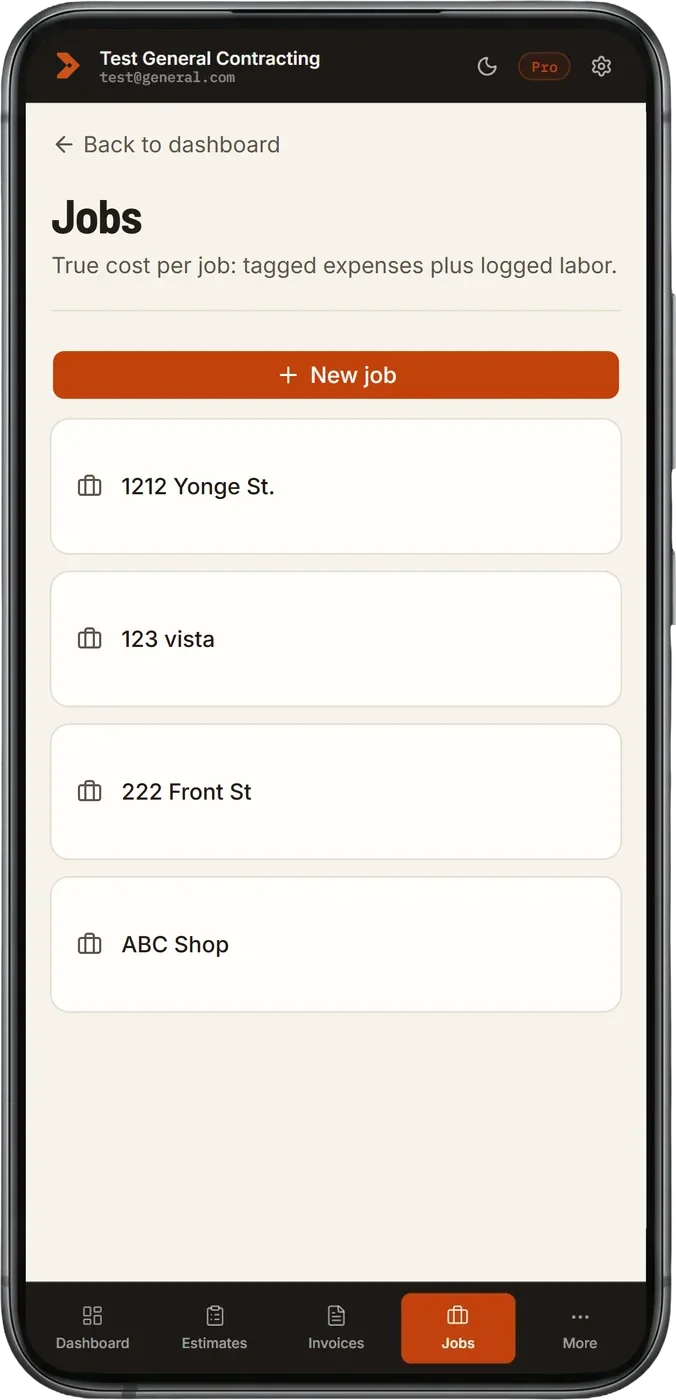
Real profit per job
Materials, labor, and the payments you've actually received, netted out for every job.
Site photos on every job
Snap before and after photos on the job. Everything stays private to you, organized by job.
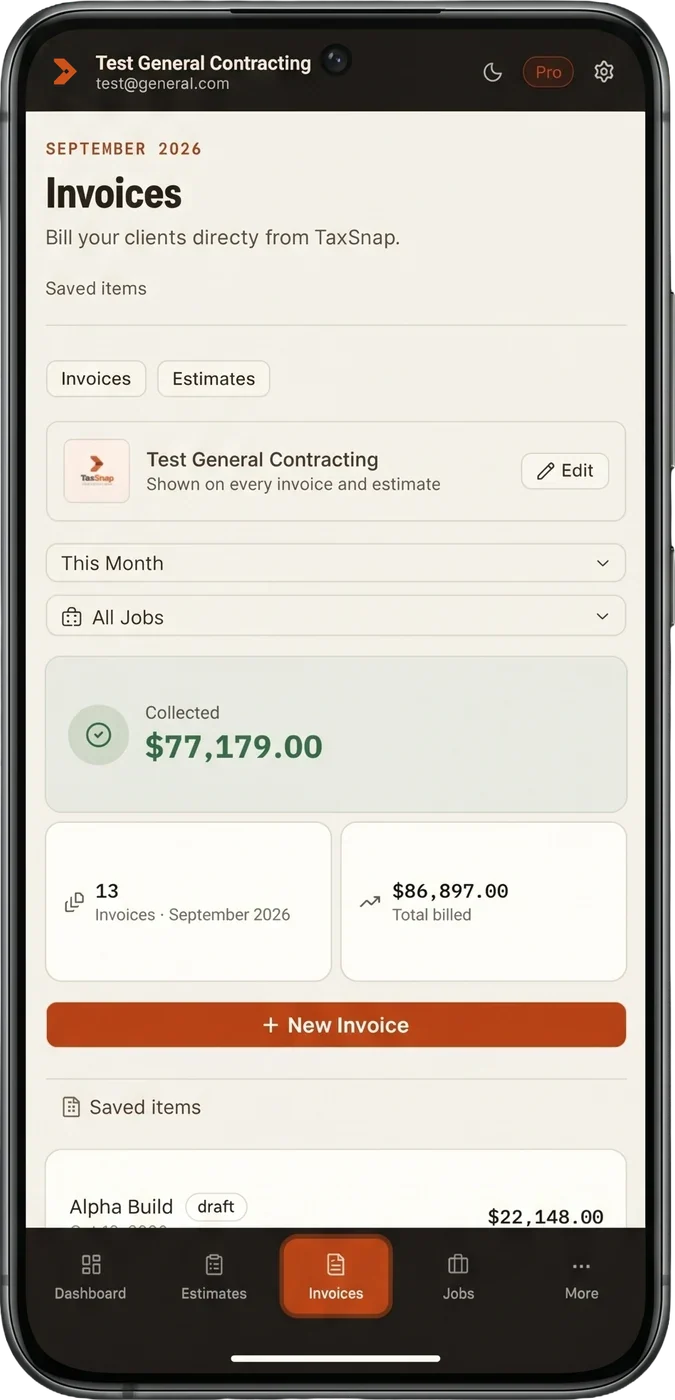
Progress billing
Bill a job in draws and see what's invoiced, received, and still owed against the contract.
Deposits & partial payments
Record deposits and partial payments as they arrive. TaxSnap counts them for HST in the period you actually got paid.
E-signatures on estimates
Clients approve estimates by signing online, and the estimate turns into an invoice the moment they do.
Reports
Revenue by client, expenses by category or vendor, and your HST position. Export when tax time comes.
Employee clock-in
Your crew clocks in and out from their own phone with a personal PIN. No accounts to set up and nothing for you to type in, and the hours land on the right job.
Jobs with client and location, plus private notes
Pick a client once and it follows the job. Private internal notes on every estimate and invoice never reach the client.
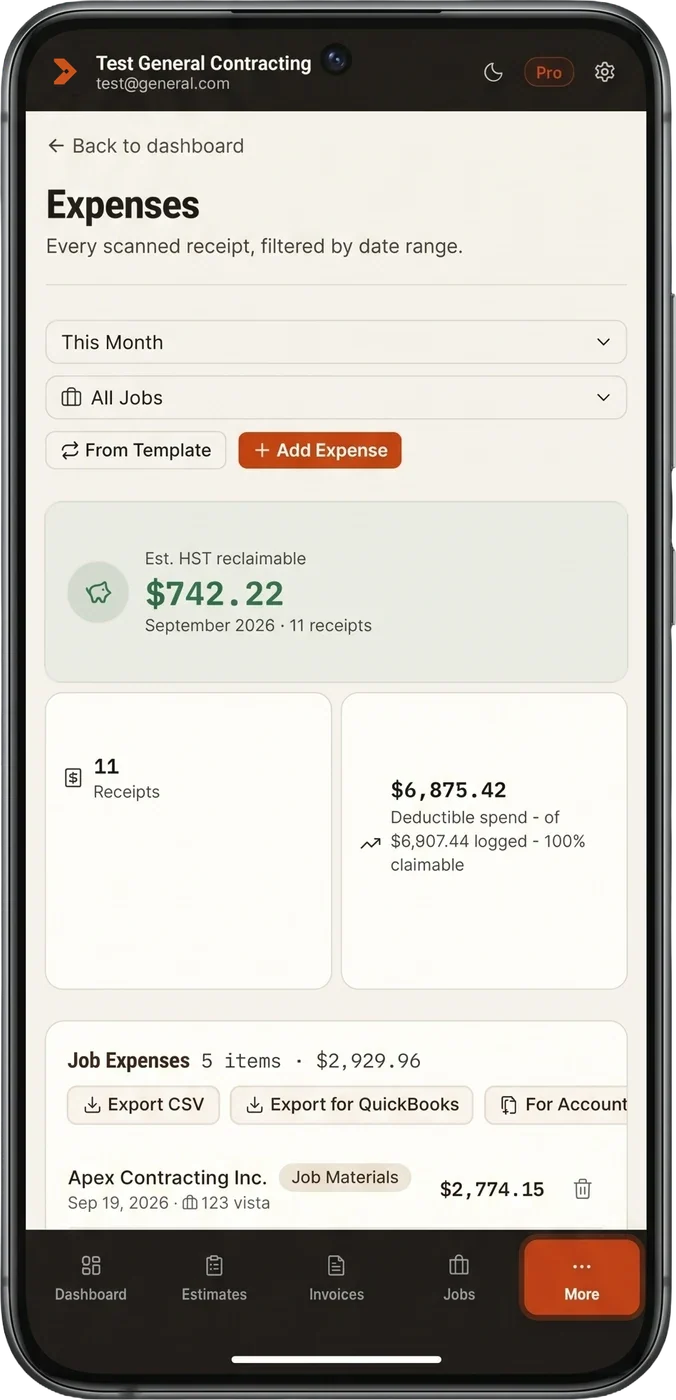
See it in action
Real screens from the real app.
Snap it, done
Every scanned receipt in one place, with merchant, tax and write-off category filled in.
Pricing
Start free. Upgrade whenever you need more.
Free
Try every feature — 5 scans/mo, 3 invoices/mo, 3 clients, 1 job.
$0
- 5 receipt scans/month
- Unlimited estimates
- 3 invoices/month
- 3 clients, 1 job
- HST return estimate
Plus
More room to grow — unlimited scans, 10 invoices/mo, 10 clients, 5 jobs.
$12 CAD/mo
- Everything in Free
- Unlimited receipt scans
- 10 invoices/month
- 10 clients, 5 jobs
- CSV export
Pro
No limits — full invoicing, job costing, and accountant tools.
$29 CAD/mo
See true profit per job — materials + labor, automatically.
- Everything in Plus
- Unlimited invoices, clients, jobs
- Job costing with Est. Profit
- Accountant export bundle
- Reports: revenue, expenses by category or vendor, HST
- Priority support
Ready to stop doing bookkeeping at night?
Get started freeInstall TaxSnap on your phone
No app store needed - it installs straight from this page.

iPhone & iPad
In Safari, tap the Share icon, then "Add to Home Screen".
Android
Open this page in Chrome, then tap Install when prompted.